C.01
Record anywhere
Record, upload, or capture online meetings — even inside LINE’s in-app browser.
speech to wisdom
Turn meeting-room conversations into company memory you can search — Thai transcripts, every speaker labelled, summarised and searchable across meetings.
( 01 ) The problem
A team’s best decisions are made in meeting rooms — and then they leave with the people in them. Veenora remembers every word, knows who said it, and finds it when you need it.
( 02 ) Inside Veenora
Screens from Veenora as it runs today — on desktop and phone.
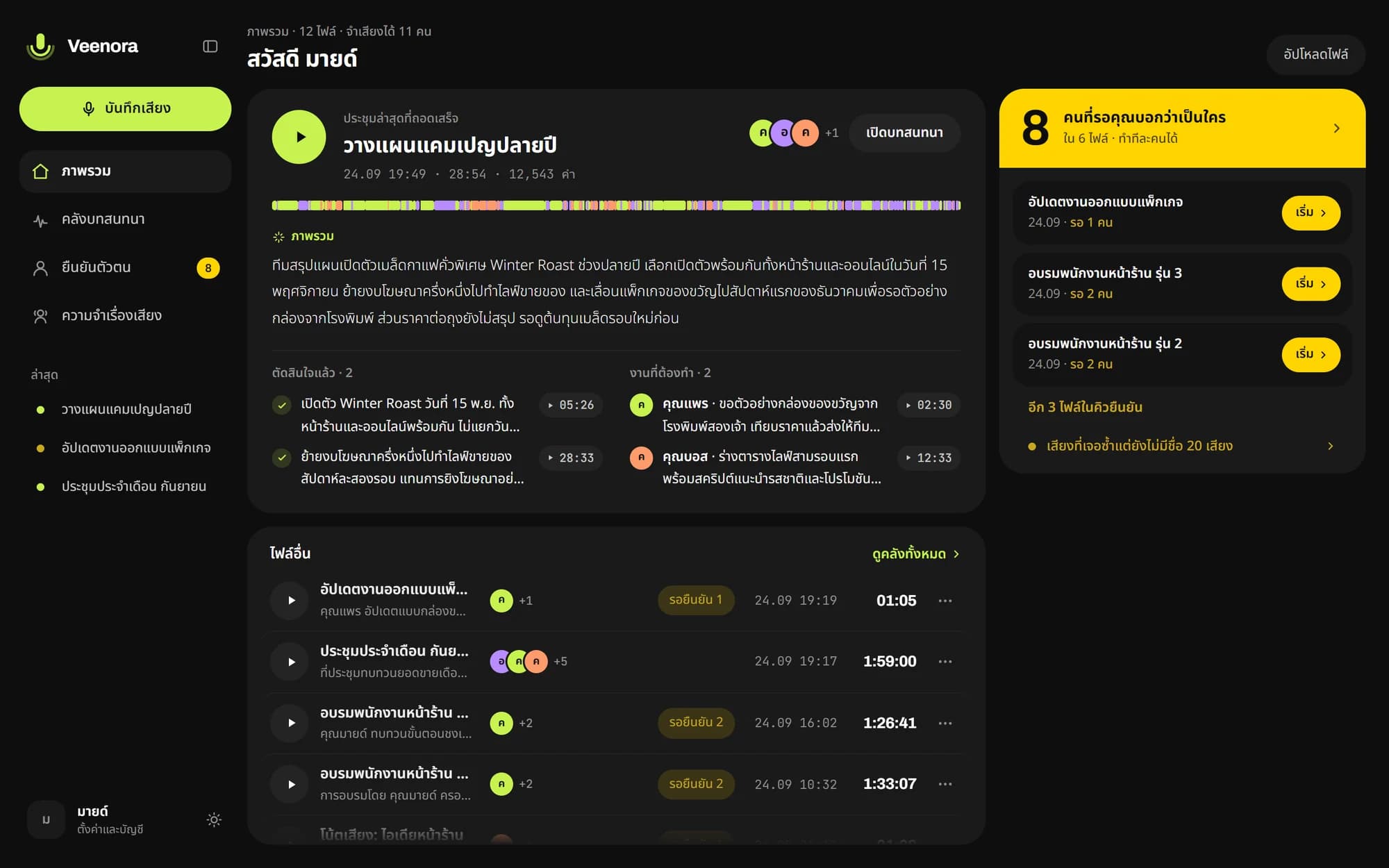
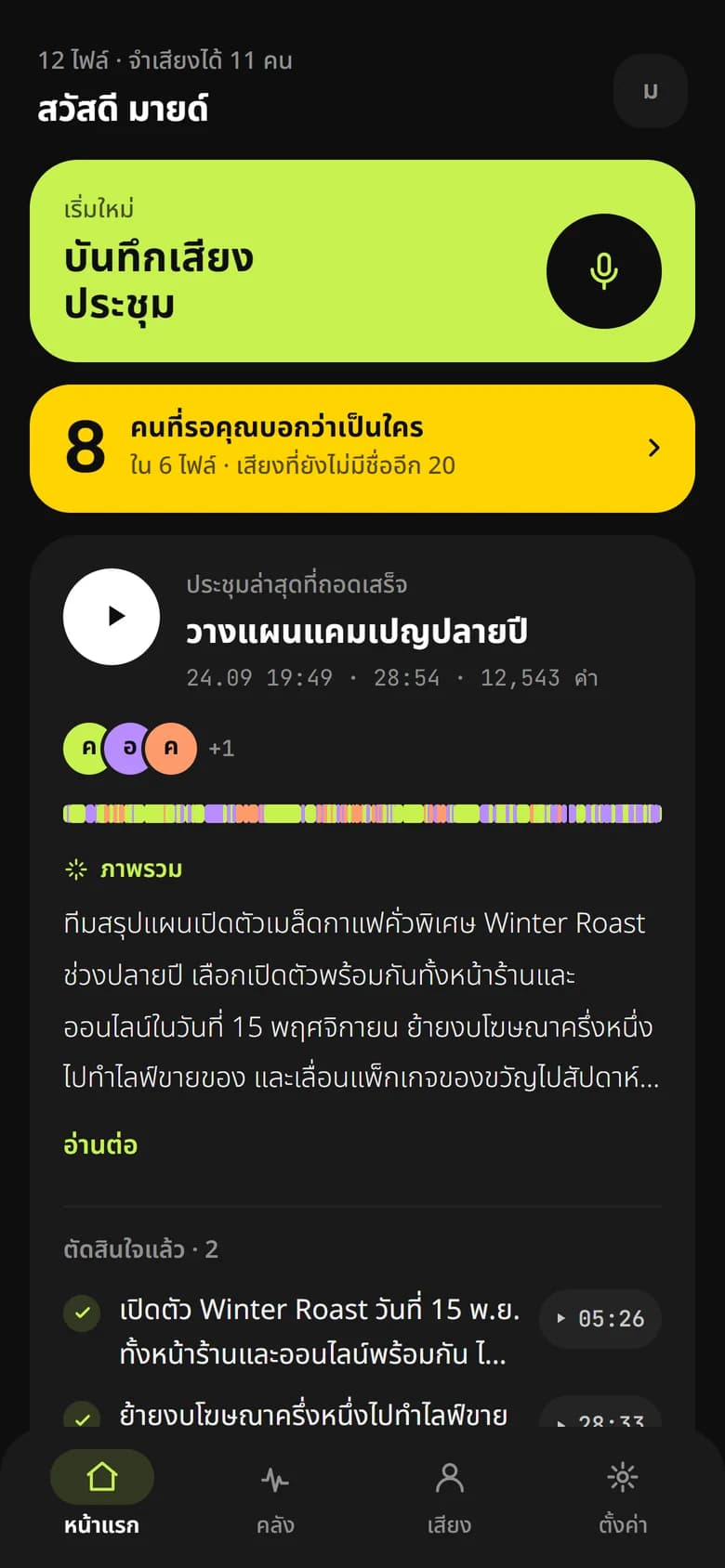
Every meeting at a glance: the summary, decisions made and tasks still open.
Open full sizeScreens use demo data
Filter by speaker — every line is timestamped, and every summary point links back to the moment it was said.
Weekly sales meeting
42 min · 3 speakers · Thai
Illustrative example
( 03 ) Two eyes, one glance
On the app and on the Mark I screen, two eyes show the state at a glance — always with words beside them.
Ready to listen
Listening
Sending
Saved
Too quiet
Mic disconnected
C.01
Record, upload, or capture online meetings — even inside LINE’s in-app browser.
C.02
Know who said what, at every moment of the meeting.
C.03
Learns your team’s voices and your company’s vocabulary across meetings.
C.04
AI summaries, and search across every meeting you’ve recorded.
C.05
Export the record, or share a link with people who weren’t there.
C.06
Let the AI tools your team already uses read your meeting memory.
Press one button. Mark I sends the audio to Veenora by itself.
01
Press record
One button, straight to microSD.
02
Auto-upload
Sends to Veenora over Wi-Fi, or records straight to a PC over USB.
03
Easy pairing
Scan a QR code to join Wi-Fi, then enter the 8-letter code on screen.
Leadership & teams
Frequent meetings, and a record you can search later.
Sales & customer service
Every agreement with a customer, with the moment it was said.
Interviews & research
Thai transcription with speakers labelled — far less typing.
Other products
It starts with one question
Tell us what you need to know. We’ll design the first experiment together.